
Reporting team, tasks और collaboration
सही व्यक्ति को काम दें और सही scope की समीक्षा करें।
Admin → Users & roles / Work / My team
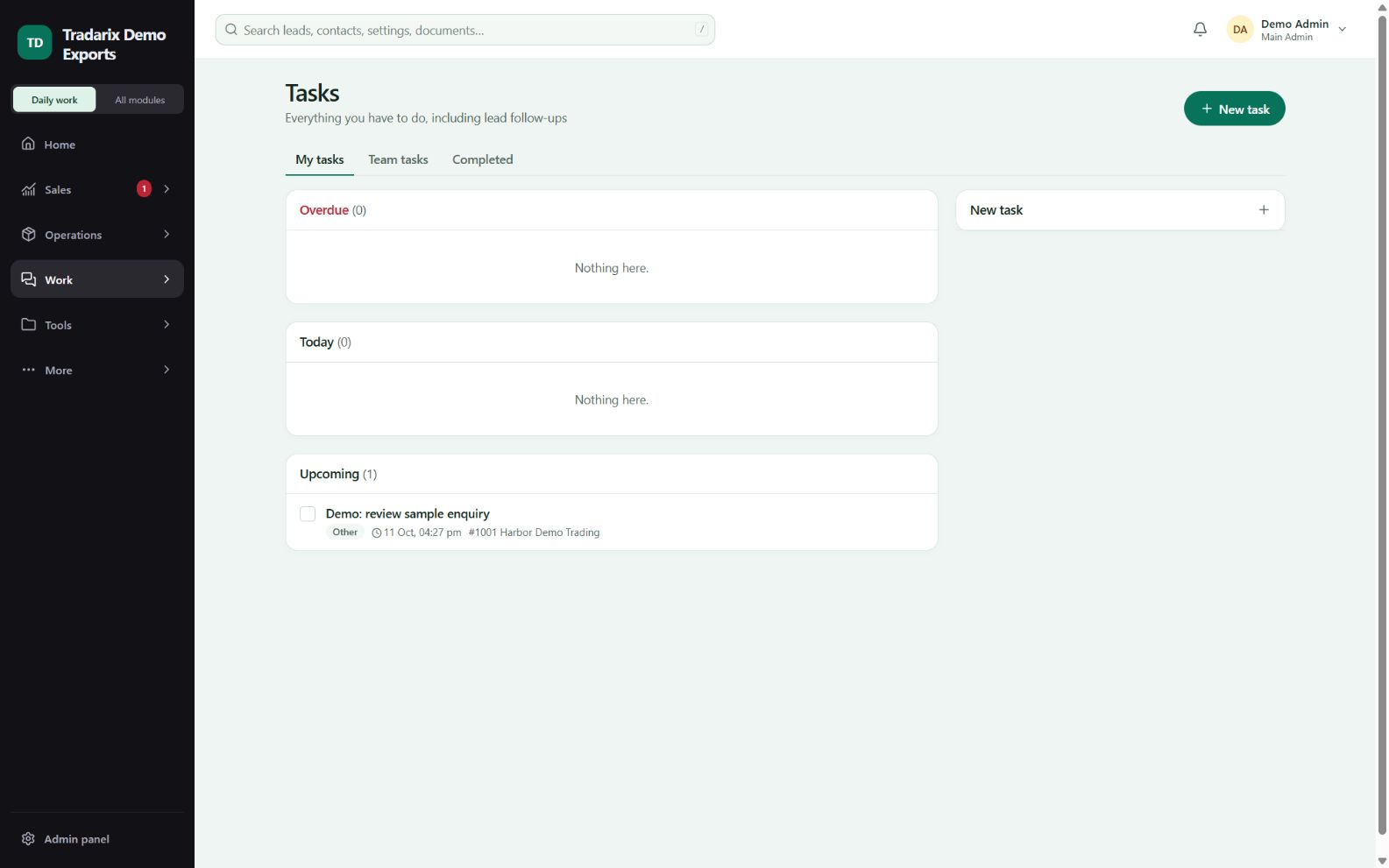
एक-एक कदम
अनुमति वाले एडमिन से हर member का reporting relationship और access role तय करवाएँ।
Role/team बदलने के बाद नए permissions के लिए दोबारा login करें।
स्पष्ट description, allowed assignee और due date वाला task बनाएँ। Save के बाद reopen करें।
Meetings, discussions, issues और team chat संबंधित काम के लिए इस्तेमाल करें। Team dashboard में assigned scope की समीक्षा करें।
डेमो: दो sample executives director को report करते हैं और director उन्हें internal follow-up task देता है।
FAQ
Role बदलने के बाद भी पुराना क्यों दिखता है?
Role/team changes पर पुराने sessions रद्द होते हैं। फिर login करें और job title से अलग access role जाँचवाएँ।
संबंधित गाइड पढ़ें →Team dashboard खाली क्यों है?
Admin को reporting relationships assign करनी होती हैं। केवल Director role से members अपने आप नहीं बनते।
संबंधित गाइड पढ़ें →समीक्षा: 10 अक्टूबर 2026 · CRM 0.53.1