
Export calculator: माल, profit और charges
Quotations बदले बिना seller-side estimate बनाएँ।
Tools → Export calculator
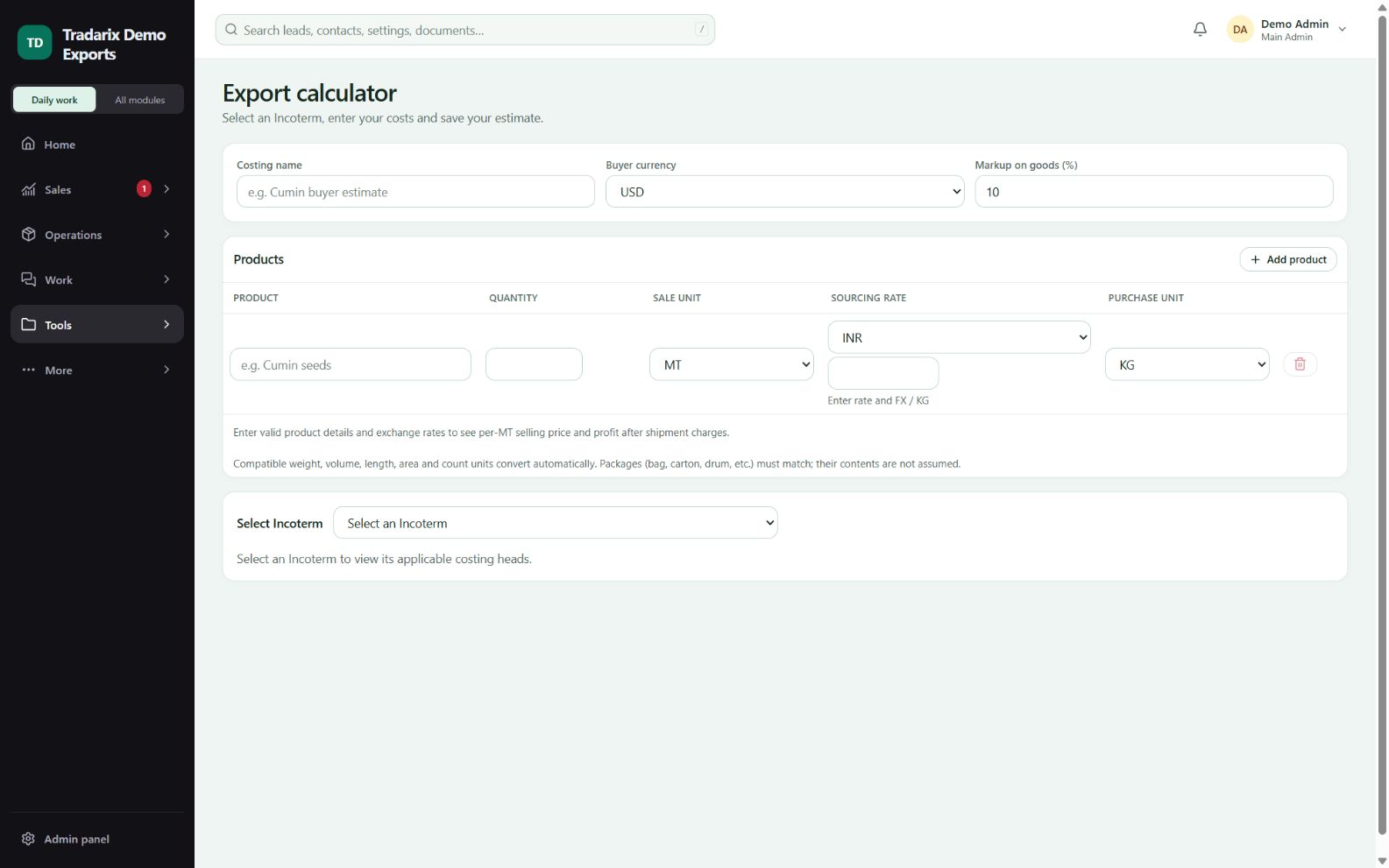
एक-एक कदम
Costing का नाम, buyer currency और आवश्यक exchange rates भरें।
हर product की quantity, sale unit, sourcing currency/rate और purchase unit भरें।
हर product में Profit on goods (%) भरें। Profit माल पर लगता है, सभी shipment expenses पर नहीं।
Incoterm चुनें और दिखने वाली charge checklist व एक miscellaneous field भरें। Charge लागू नहीं है यह पक्का होने पर ही 0 लिखें।
Per-unit INR/buyer-currency estimate और profit देखें। बाद में काम के लिए costing save करके reopen करें।
डेमो: 1 MT, INR 100/KG और 10% goods profit से goods cost INR 1,00,000 और shipment charges से पहले profit INR 10,000 है।
FAQ
Goods profit सभी shipment charges पर लगता है?
Standalone export calculator में product-wise goods पर लगता है, सभी added shipment expenses पर नहीं।
संबंधित गाइड पढ़ें →Goods profit दिखने के बाद final estimate incomplete क्यों है?
Goods-only results provisional हैं। Incoterm, FX और miscellaneous सहित हर visible charge confirm करें।
संबंधित गाइड पढ़ें →USD की जगह GBP ले सकते हैं?
Supported buyer currency चुनकर valid exchange rate दें। INR और buyer-currency values जाँचें।
संबंधित गाइड पढ़ें →समीक्षा: 10 अक्टूबर 2026 · CRM 0.53.1