
Export calculator: goods, profit & charges
Build a seller-side estimate without changing your quotations.
Tools → Export calculator
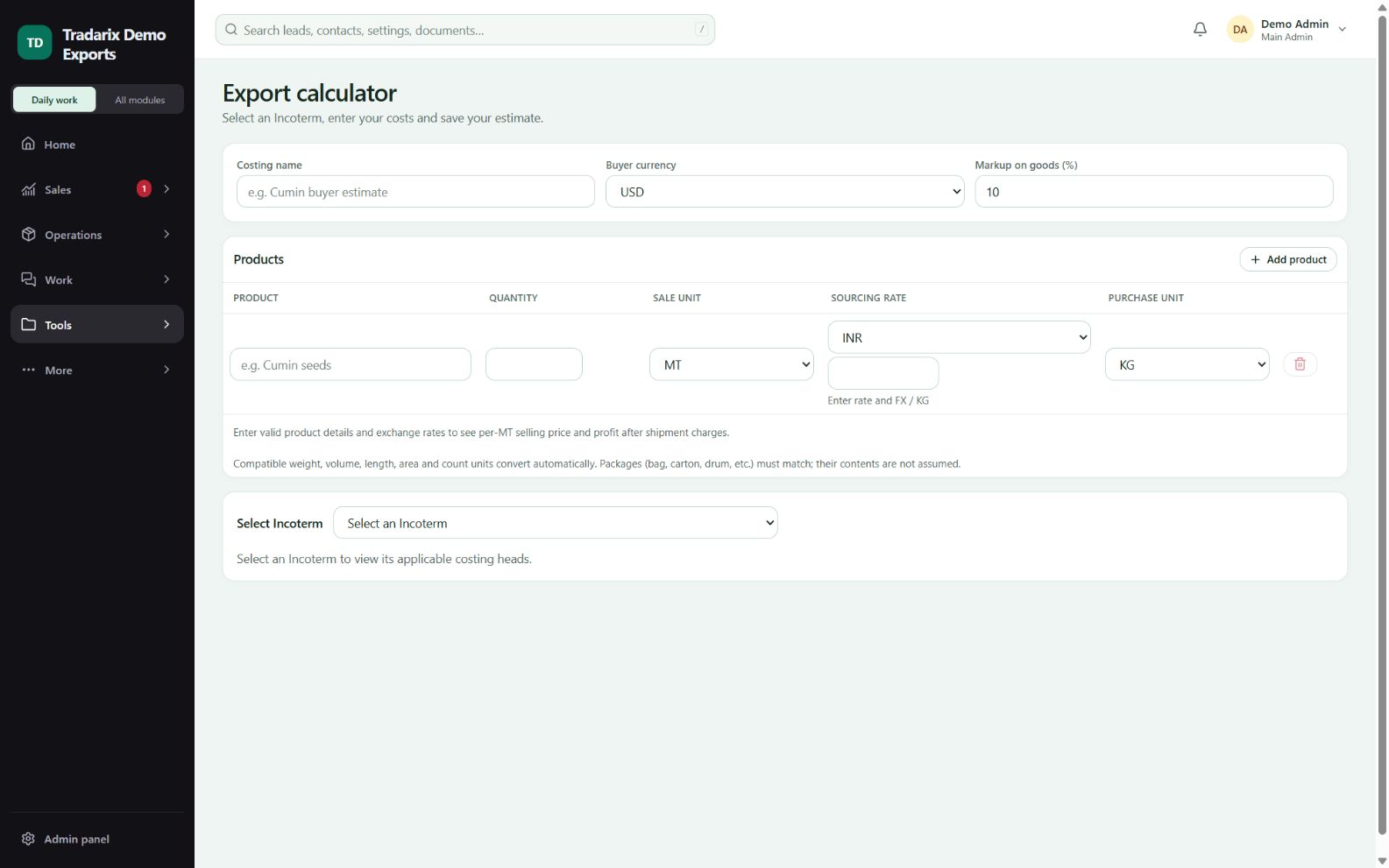
Step by step
Name the costing, select buyer currency and enter the required exchange rates.
Add each product’s quantity, sale unit, sourcing currency/rate and purchase unit.
Enter Profit on goods (%) for each product. Profit applies to goods, not all shipment expenses.
Select your Incoterm and fill the visible charge checklist and single miscellaneous field. Enter 0 only when a charge is confirmed not applicable.
Review per-unit INR/buyer-currency estimates and profit. Save and reopen the costing to continue later.
Demo: 1 MT at INR 100/KG with 10% goods profit gives goods cost INR 100,000 and goods profit INR 10,000 before shipment charges.
FAQ
Does goods profit apply to all shipment charges?
In the standalone export calculator it applies product-wise to goods, not all added shipment expenses.
Read related guide →Why does the final estimate stay incomplete after goods profit appears?
Goods-only results are provisional. Confirm the Incoterm, FX and every visible charge including miscellaneous.
Read related guide →Can I use GBP instead of USD?
Select the supported buyer currency and supply its valid exchange rate. Review INR and buyer-currency values.
Read related guide →Reviewed 10 October 2026 · CRM 0.53.1