
ईमेल लिखें, reply करें और फ़ाइल जोड़ें
Composer इस्तेमाल करें और बातचीत buyer record में रखें।
Lead / Contact → Email → Compose / Reply
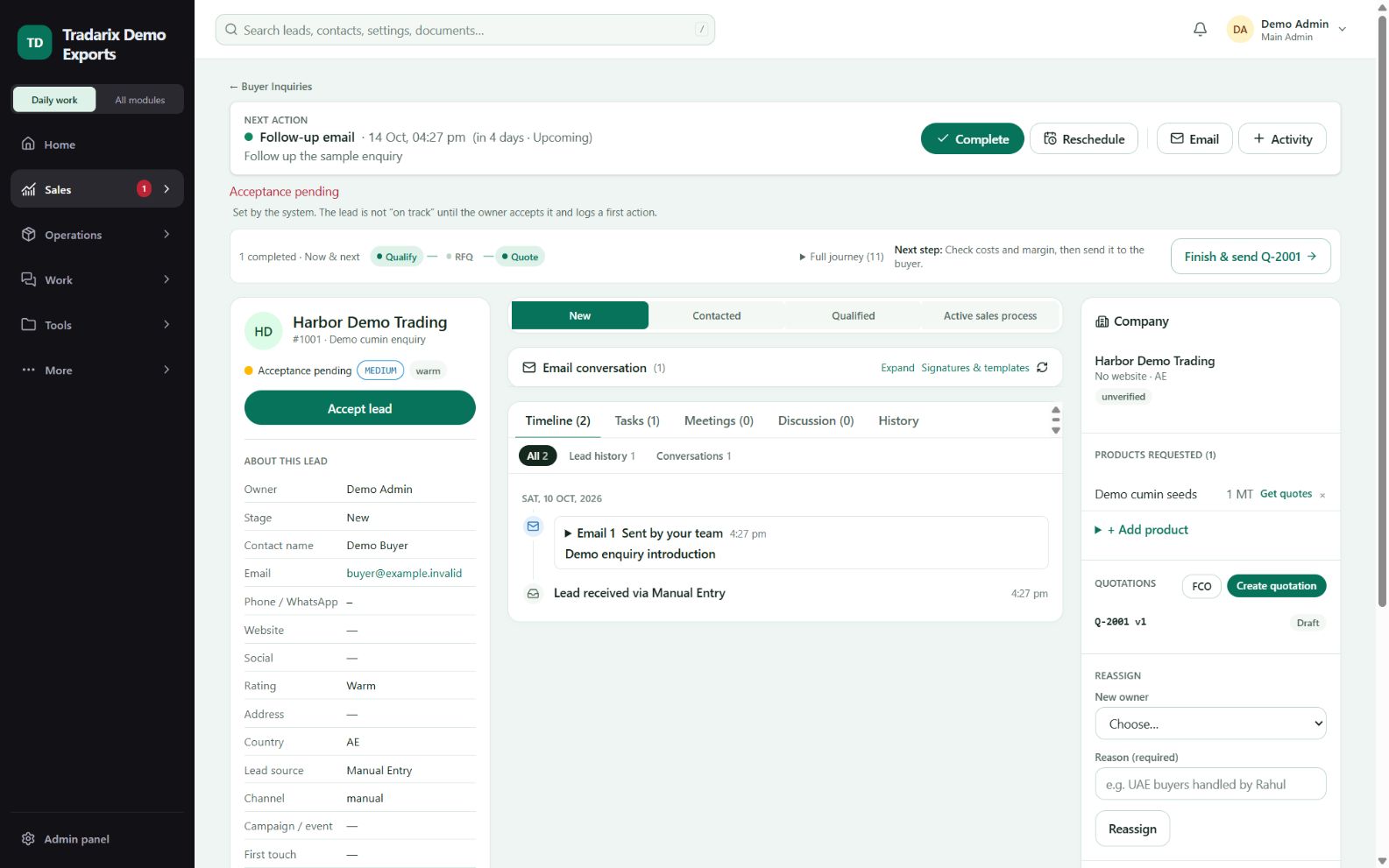
एक-एक कदम
सही buyer की email conversation खोलकर Compose या message का Reply चुनें।
Recipient और subject जाँचें। अपना message लिखें या saved template चुनें।
आपकी saved default signature अपने आप आती है। भेजने से पहले जाँचें।
अधिकतम 10 files जोड़ें, कुल size 20 MiB तक। Provider की message limit इससे कम हो सकती है।
एक बार Send करें और result व timeline देखें। बाद में लौटना हो तो draft save करें।
डेमो: अपने controlled test contact को सामान्य test message भेजें; असली buyer पर test न करें।
FAQ
Outgoing attachment की limit क्या है?
Normal composer में अधिकतम10 files और कुल20MiB। Provider message-size/encoding limit कम हो सकती है।
संबंधित गाइड पढ़ें →Saved draft में attachments रहेंगी?
नहीं। Draft reopen करने पर files फिर attach करें।
संबंधित गाइड पढ़ें →Blank email में Send क्यों नहीं हो रहा?
Verified mailbox, recipient, subject, message, template values और file validation देखें। Missing requirements composer में समझाई जाती हैं।
संबंधित गाइड पढ़ें →समीक्षा: 10 अक्टूबर 2026 · CRM 0.53.1