
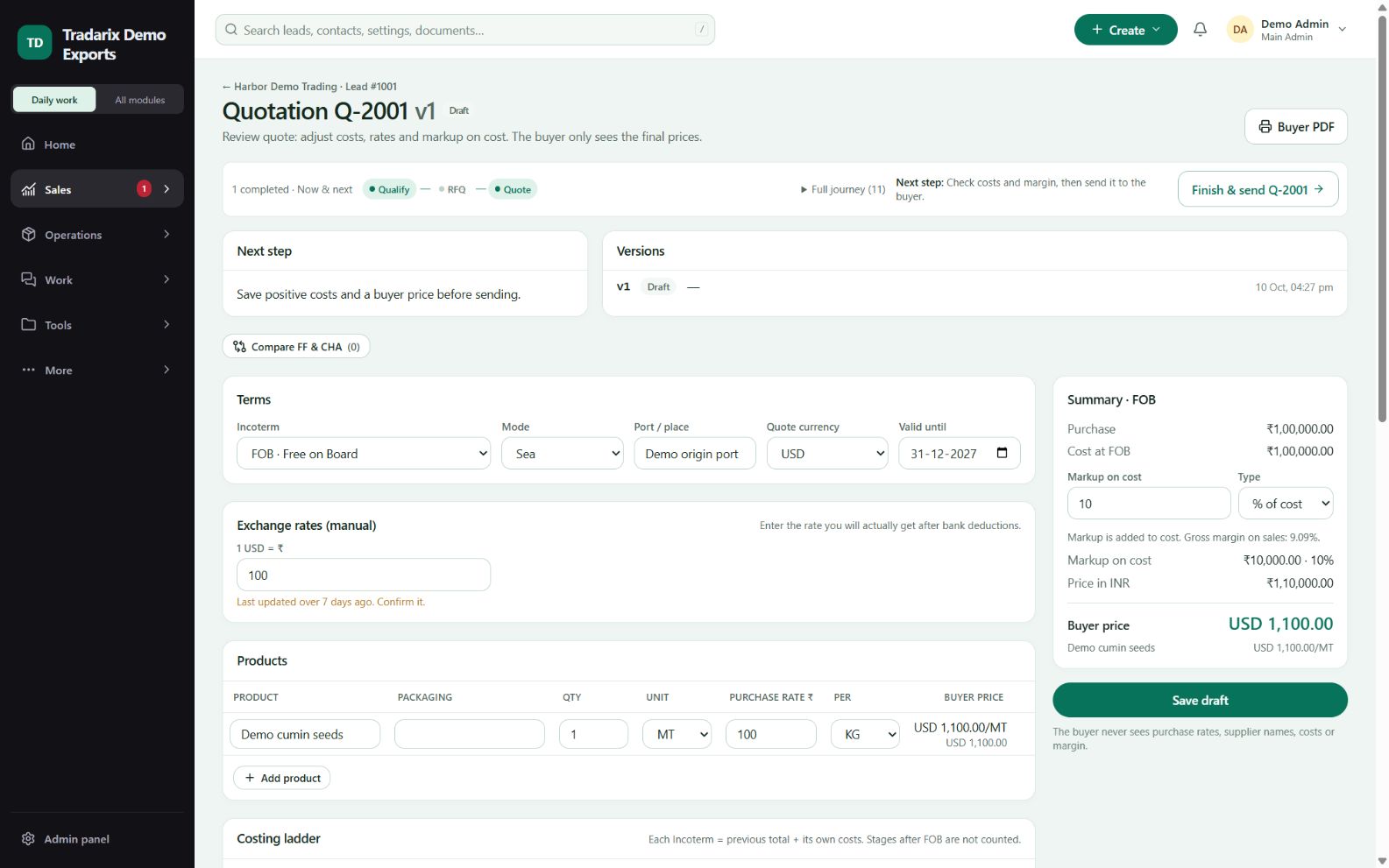
Change quotation validity & save it
Verify the persisted buyer-facing date before sending.
Where to go
Quotes → quotation → Valid until
Step by step
Open the correct draft/revision and note its current Valid until date.
Choose the new date and review the Save & review state.
Save the draft and reopen or reload it to confirm the date persisted.
Review the saved buyer preview and resolve any expiry/readiness warning before sending.
Demo: change a fictional quote’s date and verify the same date after reopening.
FAQ
How do I verify that Valid until saved?
Save the draft, reopen/reload it and compare the persisted date with the intended date.
Read related guide →Why does Save & review appear after editing?
Buyer-facing edits are unsaved. Save and review the intended version before sending.
Read related guide →Reviewed 10 October 2026 · CRM 0.53.1