
FX rates, quantities & unit conversion
Resolve invalid pricing inputs before treating a total as usable.
Where to go
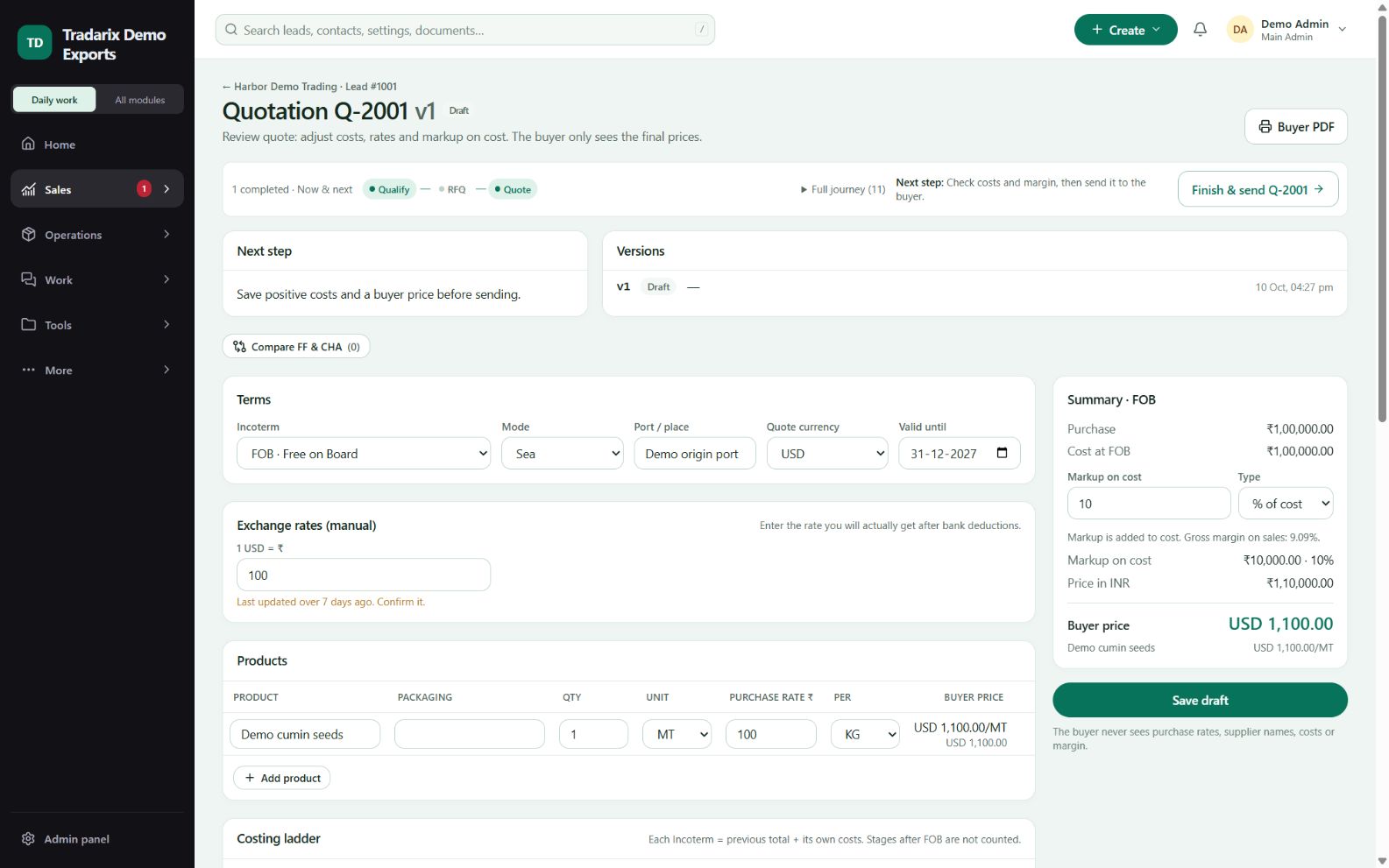
Quote builder → products and currency
Step by step
Enter the real positive quantity and select the sale unit.
Enter the purchase rate and its unit; check supported conversion between the units.
Enter the required positive FX rate for the buyer currency.
Resolve row warnings, save, and review the saved price before sending.
Demo: 1 MT equals 1,000 KG; one BAG has no universal KG equivalent.
FAQ
Why does BAG to KG show a conversion warning?
A bag has no universal weight. Use a supported conversion or matching units and accurate quantities.
Read related guide →Can I leave FX blank or quantity at zero?
An incomplete draft may remain editable, but valid pricing and sending require valid quantity and FX inputs.
Read related guide →Reviewed 10 October 2026 · CRM 0.53.1