
Your first day with Tradarix CRM
From your invitation to a useful daily workflow.
Where to go
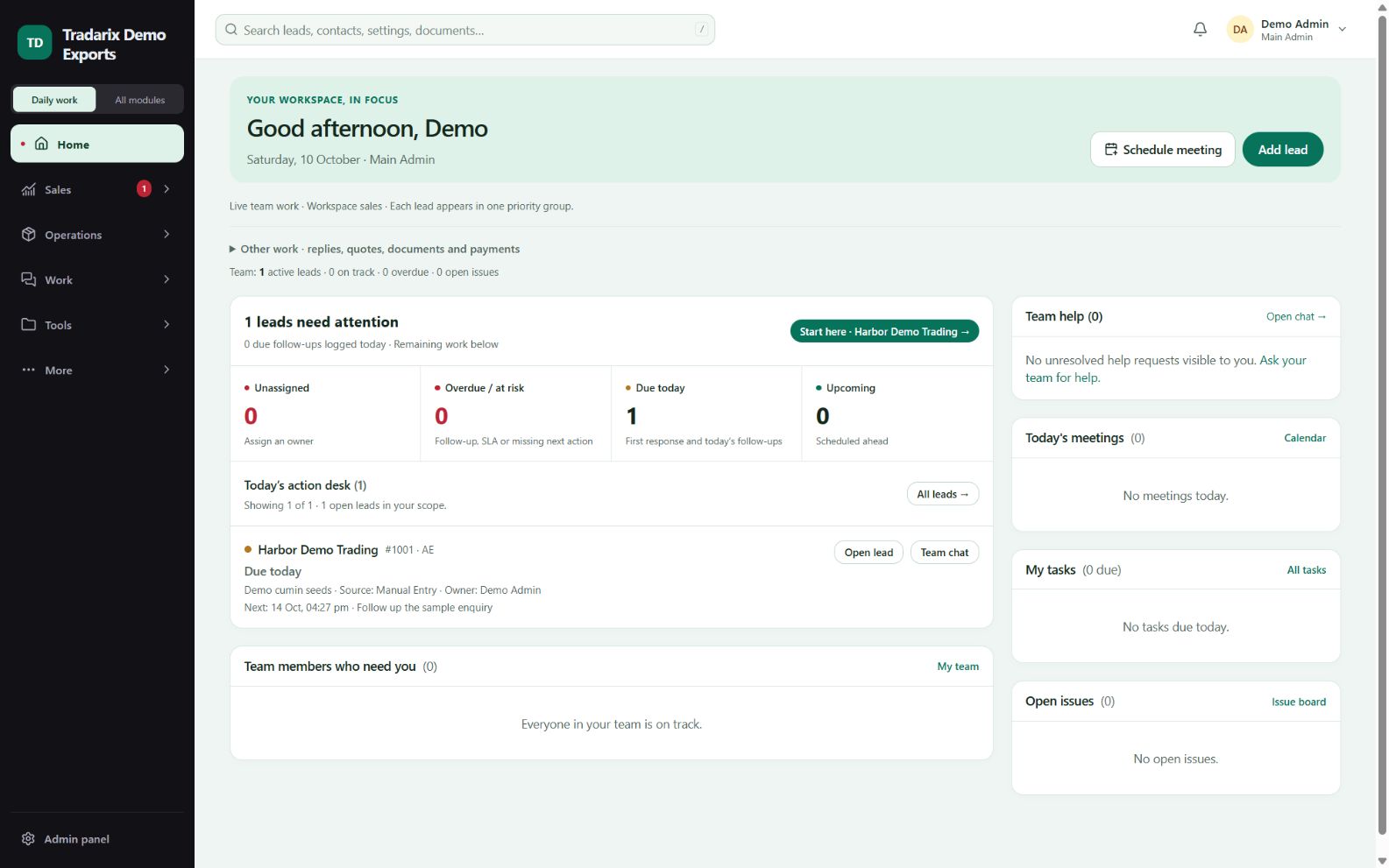
CRM → Home
Step by step
Open your invitation and set your password. Sign in at crm.tradarix.com.
Complete two-factor setup when your company requires it.
On Home, review your assigned work and next actions. Menus depend on your role.
Open or create a permitted lead. Record the actual contact activity and set its next action.
Use global search for permitted records and pages; open Tools for separate calculators.
Demo: a salesperson opens a sample buyer lead and schedules a follow-up in 4 days.
FAQ
Where do CRM users log in?
Use https://crm.tradarix.com. The public guide does not require a CRM login.
Read related guide →What should I do first after login?
Complete required security setup, then review Home and your assigned next actions.
Read related guide →Reviewed 10 October 2026 · CRM 0.53.1