
Create & verify a lead
Save a buyer enquiry with a clear owner and next action.
Where to go
Sales → Leads → Create
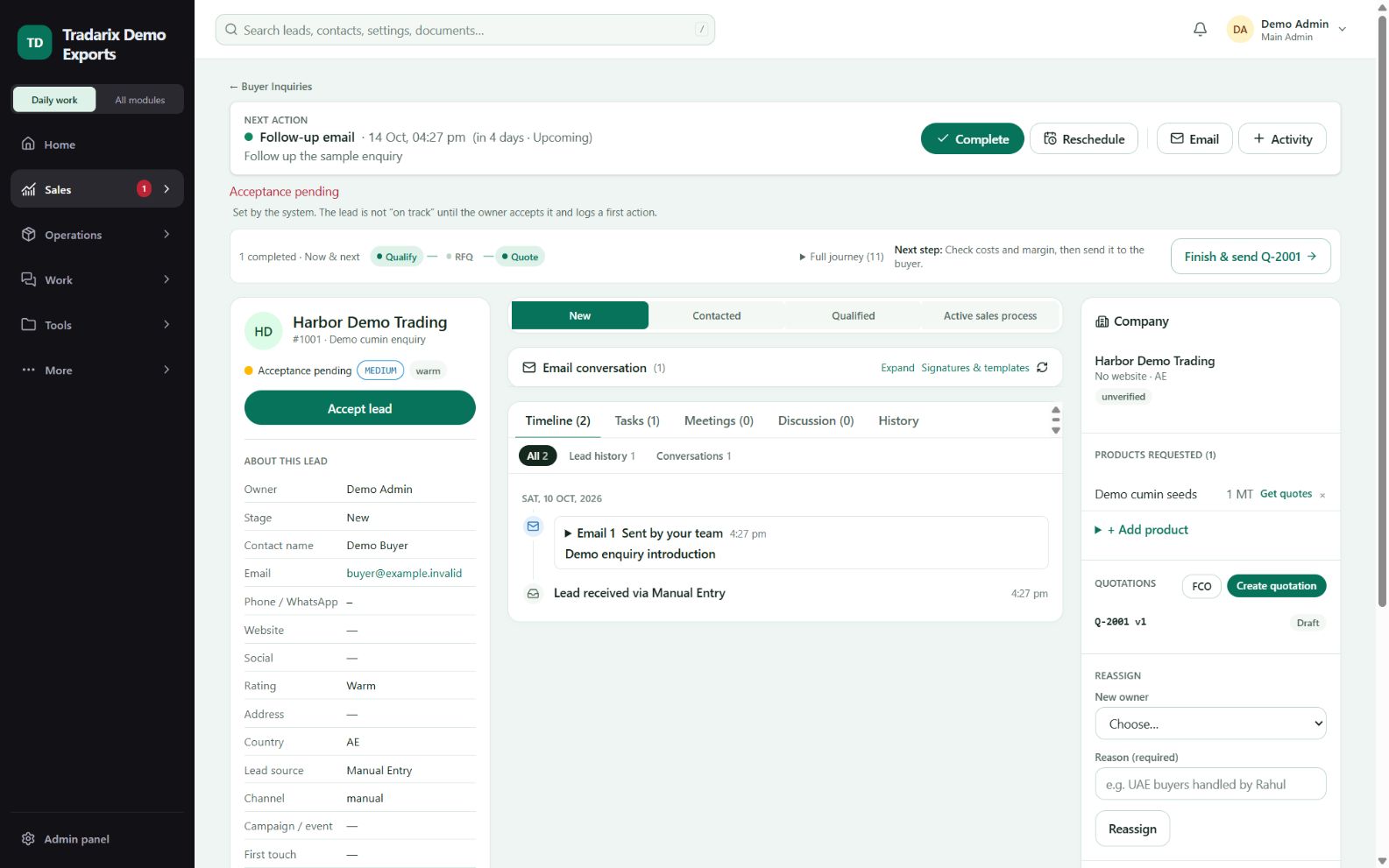
Step by step
Open Leads and choose its Create action. Fill the required buyer/contact fields.
Check email and phone carefully, then enter product and enquiry details where available.
Choose a permitted owner and next action. Save once and wait for the result.
Open the saved lead and confirm its buyer, owner, stage and next action.
Demo only: Harbor Demo Trading, Demo Buyer, buyer@example.invalid, product “Sample goods”.
FAQ
Is a contact the same as a lead?
A contact is a person; a lead is a sales enquiry/opportunity. One person can be linked to multiple enquiries.
Read related guide →Reviewed 10 October 2026 · CRM 0.53.1