
Create, save & review a quotation
Separate a working draft from a quotation ready for a buyer.
Lead → Create quotation / Sales → Quotes
Step by step
Start from a valid lead you can access. Check the buyer and the meaningful product identity.
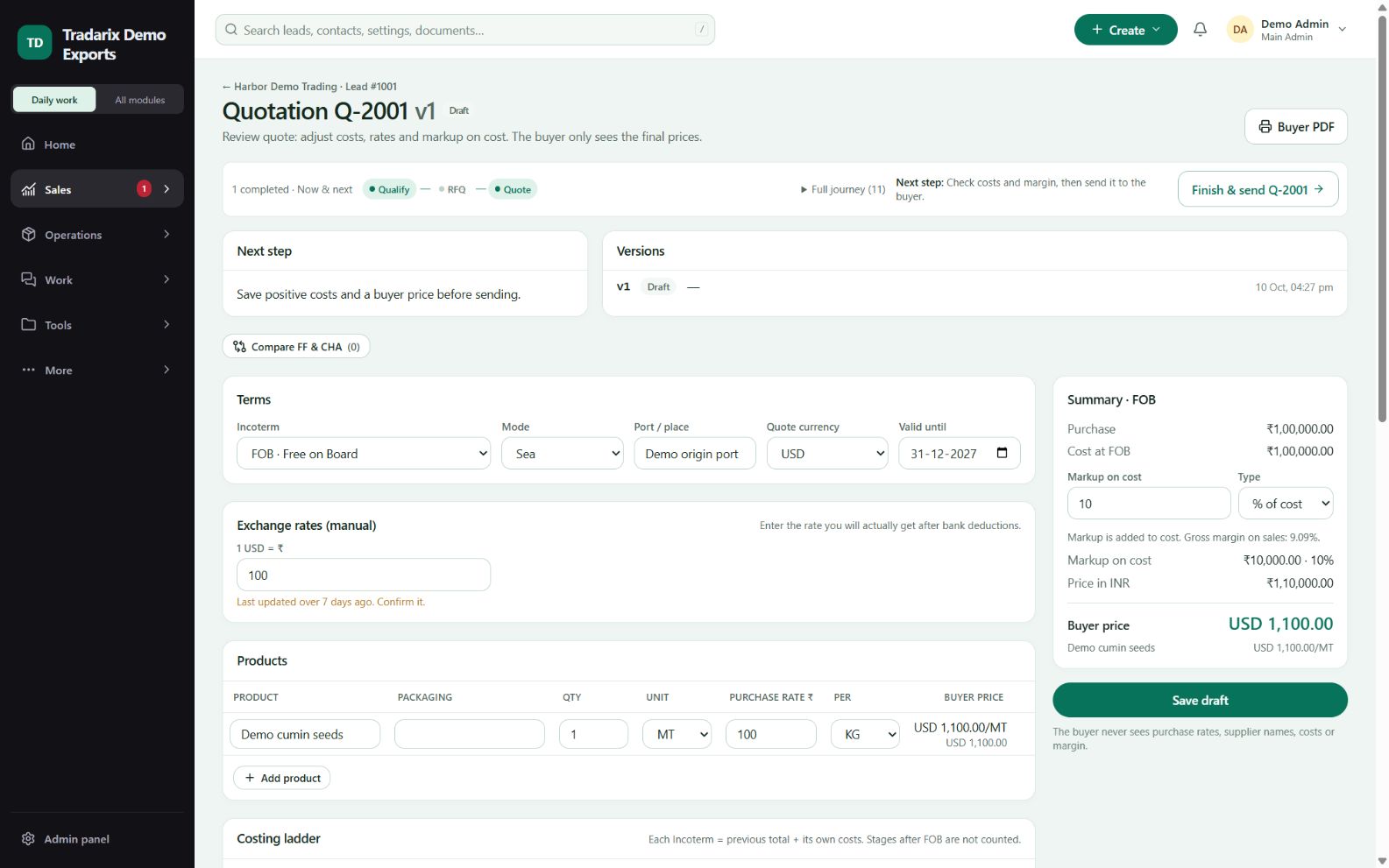
Enter quantity, compatible units, purchase cost, currency/FX and required commercial fields.
Set Valid until and save the draft. Confirm the saved date and values after reopening.
Resolve all readiness warnings. A zero-cost item requires an explicit allowed reason; blank product is not a finished quote.
If you have unsaved changes, use Save & review before sending. Preview the saved buyer version and selected bank account.
Demo: 1 MT sample goods, valid purchase cost and FX; save a chosen validity date and reopen to check it.
FAQ
Can I start a quote without a valid lead?
The quotation start flow requires a valid lead within your permitted scope.
Read related guide →Can I send an incomplete draft because it saved?
No. Draft saving and send readiness have different rules. Resolve meaningful product, quantity, units, cost and required terms.
Read related guide →How do I represent a genuine zero-cost sample?
Use the explicit zero-cost exception/reason where allowed; do not disguise an incomplete purchase rate as a sample.
Read related guide →Reviewed 10 October 2026 · CRM 0.53.1