
Signatures, templates & tracking
Prepare reusable messages while retaining control of the final email.
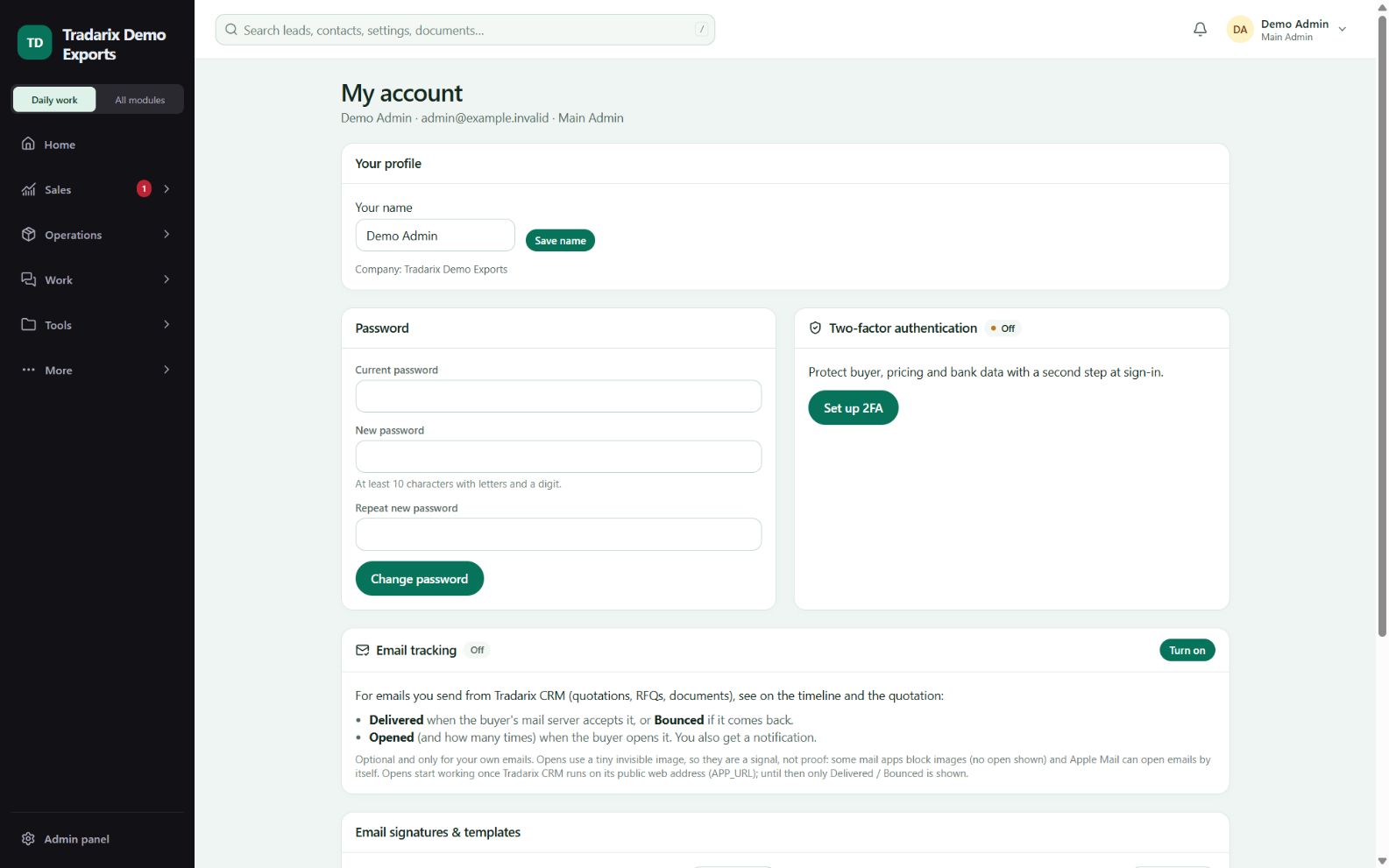
My account / Email → Signatures & templates
Step by step
Create your personal signature with your name, designation and approved contact details.
Set your default signature; it is automatically used for new messages and replies.
Save an enquiry, follow-up or quotation message as a template. Keep signatures out of template text to avoid duplication.
Review substituted contact/company details before sending; missing unsupported values can block sending.
If tracking is wanted, review the available setting in My account and verify events with a controlled test.
Demo follow-up: “Hello {{first_name|there}}, following up on our enquiry. Please share your update.”
FAQ
Will my saved signature appear on replies too?
The default personal signature is automatically appended to new messages and replies. Review the composer before sending.
Read related guide →How many signatures and templates can I save?
Up to3 signatures and50 personal templates per user.
Read related guide →Does an Open event prove a human read the message?
No. Image blocking, prefetching and mail-client privacy features affect open events.
Read related guide →Reviewed 10 October 2026 · CRM 0.53.1